
 Skin progress tracker
Your skin story.
One check-in at a time.Skin progress tracker for iPhone
It can be hard to remember how your skin looked a few weeks ago. Keep your photo check-ins and appearance estimates together, then return to them with a little more perspective.
Coming soon to the App Store. No release date announced yet.
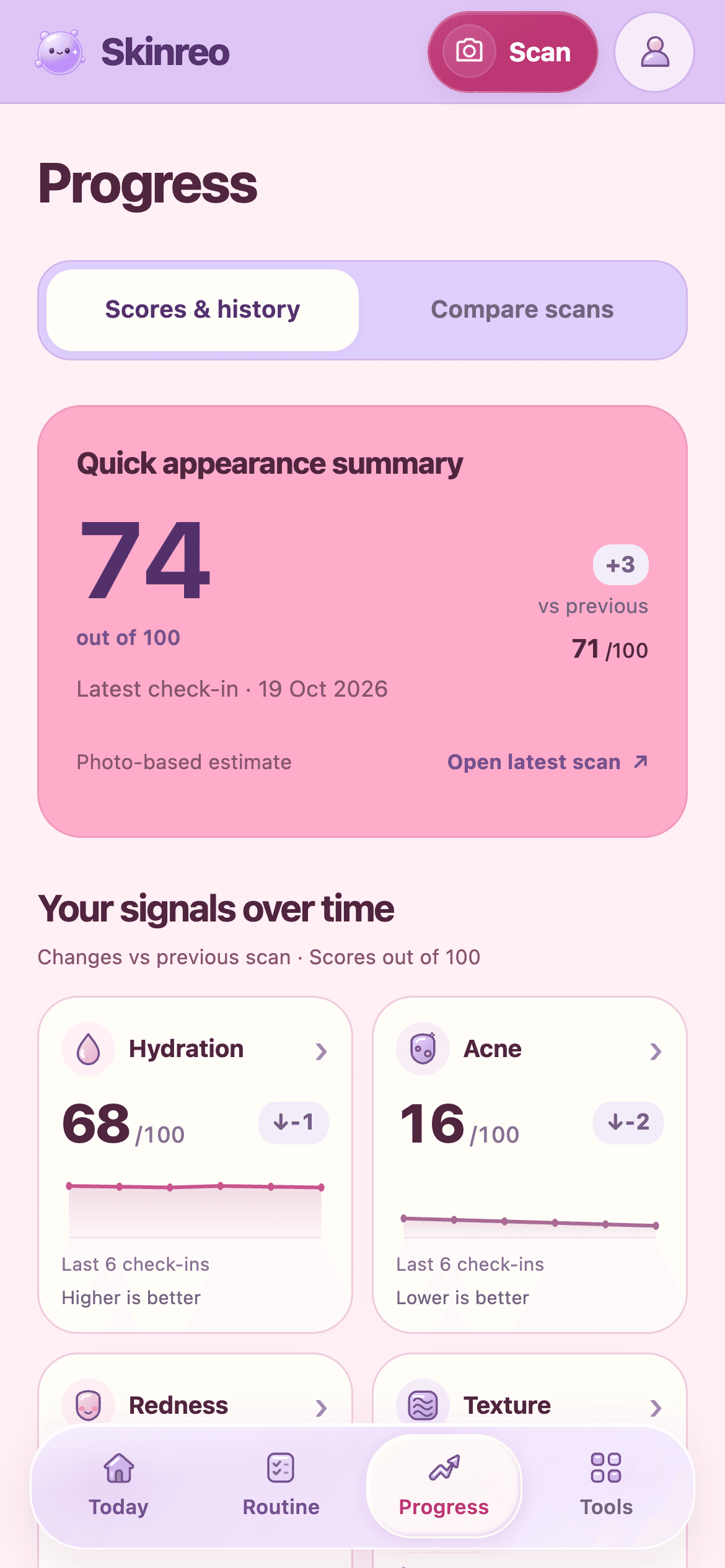
A closer look at skin progress tracker

Keep a photo journal
Revisit the photos saved on your device and their check-in dates. Your journal gives each number an image and a moment in time.
Compare your check-ins
Choose an older and a newer check-in to explore their appearance estimates side by side. Photo comparison can also flag differences in light or angle.

Follow appearance over time
Review the overall appearance score and the five detailed estimates. Use the history as a prompt to reflect, rather than proof of a product’s effect.
How it works
An easy place to start.
- 01
Save a starting point
Take a clear selfie, review the photo and confirm the scan. Save the check-in to begin your history.
- 02
Keep photos comparable
Return in similar light with a similar angle and expression. Camera changes and filters can make comparisons harder to interpret.
- 03
Look back with context
Choose check-ins to compare. Review the photos and the estimates together, remembering that a change in score may come from photo conditions.
Reading a comparison
A change in a number needs a little context.
Imagine a texture estimate moving from 40 to 30. That means the newer photo was estimated to show less unevenness. Here is how to put it in perspective.
Look at both photos
Was the newer photo taken in softer light or from farther away? Those differences can change how surface details appear.
Check the direction
Lower blemish, redness, texture and line estimates mean less apparent features. The inverse dryness estimate goes the other way: higher means fewer visible dry-looking changes.
Keep the bigger picture
A single comparison cannot tell you why something changed. Use repeated, similarly taken photos to give your journal more context.
The numbers in this example are illustrative. They are not a customer result, a clinical measurement, or a promised improvement.
Progress without promises
An appearance trend cannot prove that a skincare product caused a change or that a condition has improved. Skinreo is for personal tracking. A concerning or persistent change deserves professional advice, regardless of what a score says.
Good to know
Your questions, answered.
Can I compare before-and-after skin photos?
Yes. Skinreo includes saved check-in comparisons and a two-photo AI comparison. Results describe visible differences and may identify photo conditions that limit the comparison.
Are lower scores always better?
No. Lower blemish, redness, texture and line estimates mean less of that visible appearance. Higher inverse dryness estimates mean fewer visible dry-looking changes. The overall appearance score has its own summary role; none is a clinical measurement.
Do my journal photos sync to another iPhone?
Saved journal photos stay on the device where you save them. Account scores and local photos are separate. Use the app’s password-protected photo export and import when moving photos; simply signing in does not transfer them.
Will my journal prove which product works?
No. Your journal can help you reflect on habits and visible changes, but light, camera conditions and other factors can influence comparisons. It cannot establish the cause of a change.
More about our approach and your privacy.


Your next chapter in skincare.
Skinreo is coming to iPhone. Join the list and we’ll let you know when it’s ready.
Get launch updates